
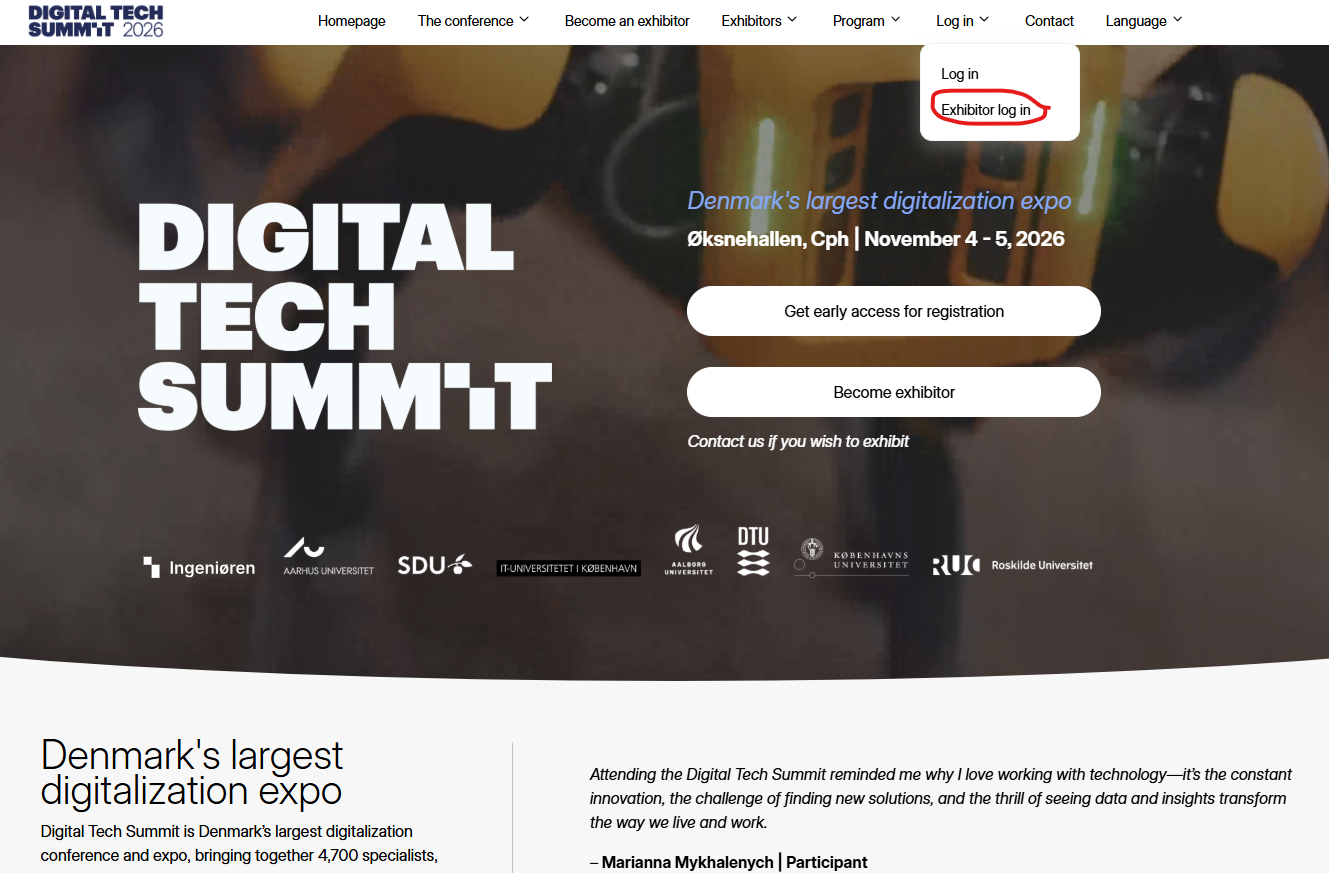
Website
Go to website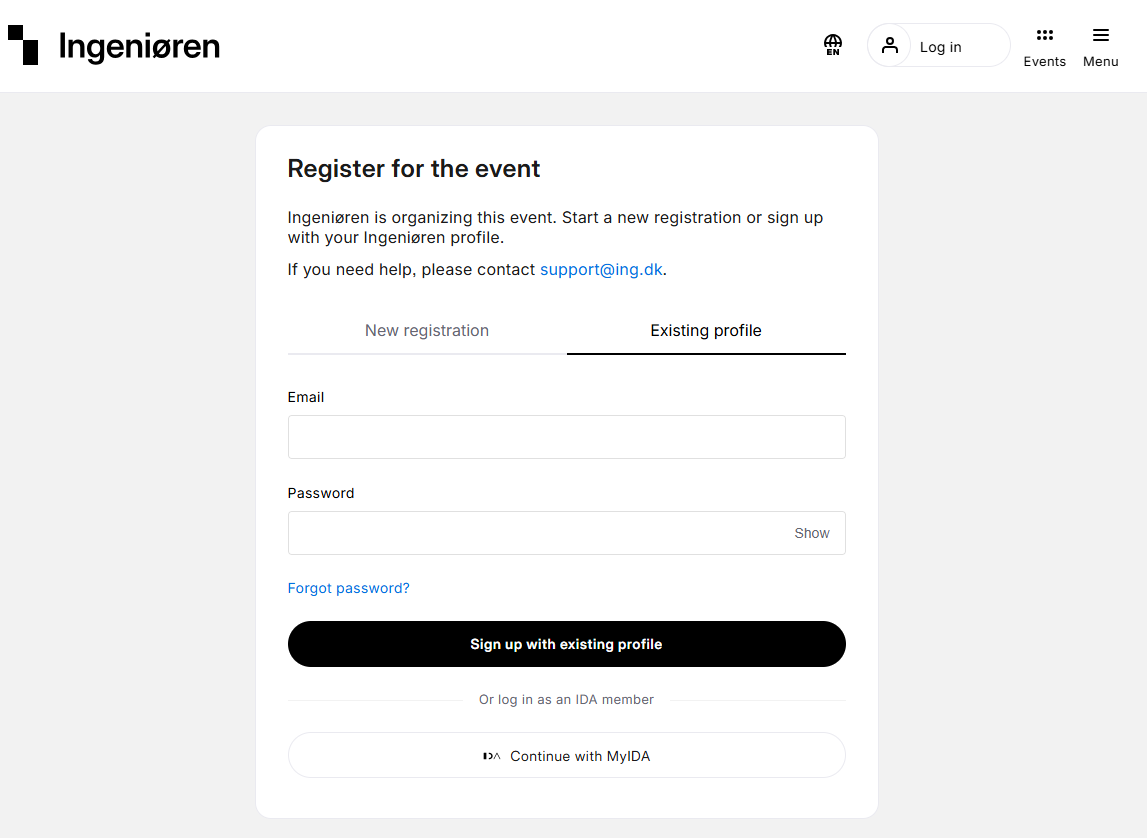
Log in
Log in via Ingeniøren.
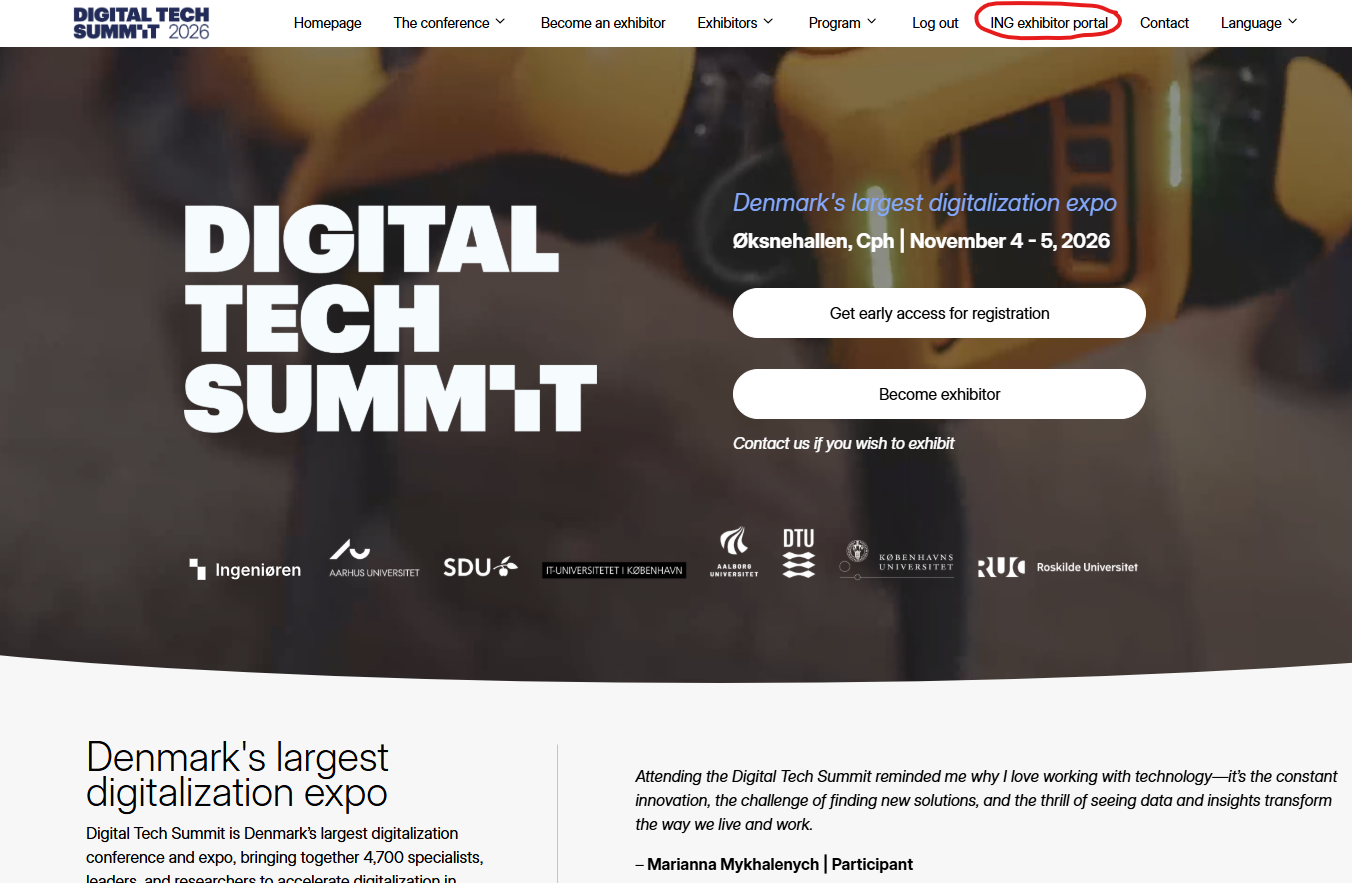
Exhibitor portal
When logged in go to “[Company name] exhibitor portal”.
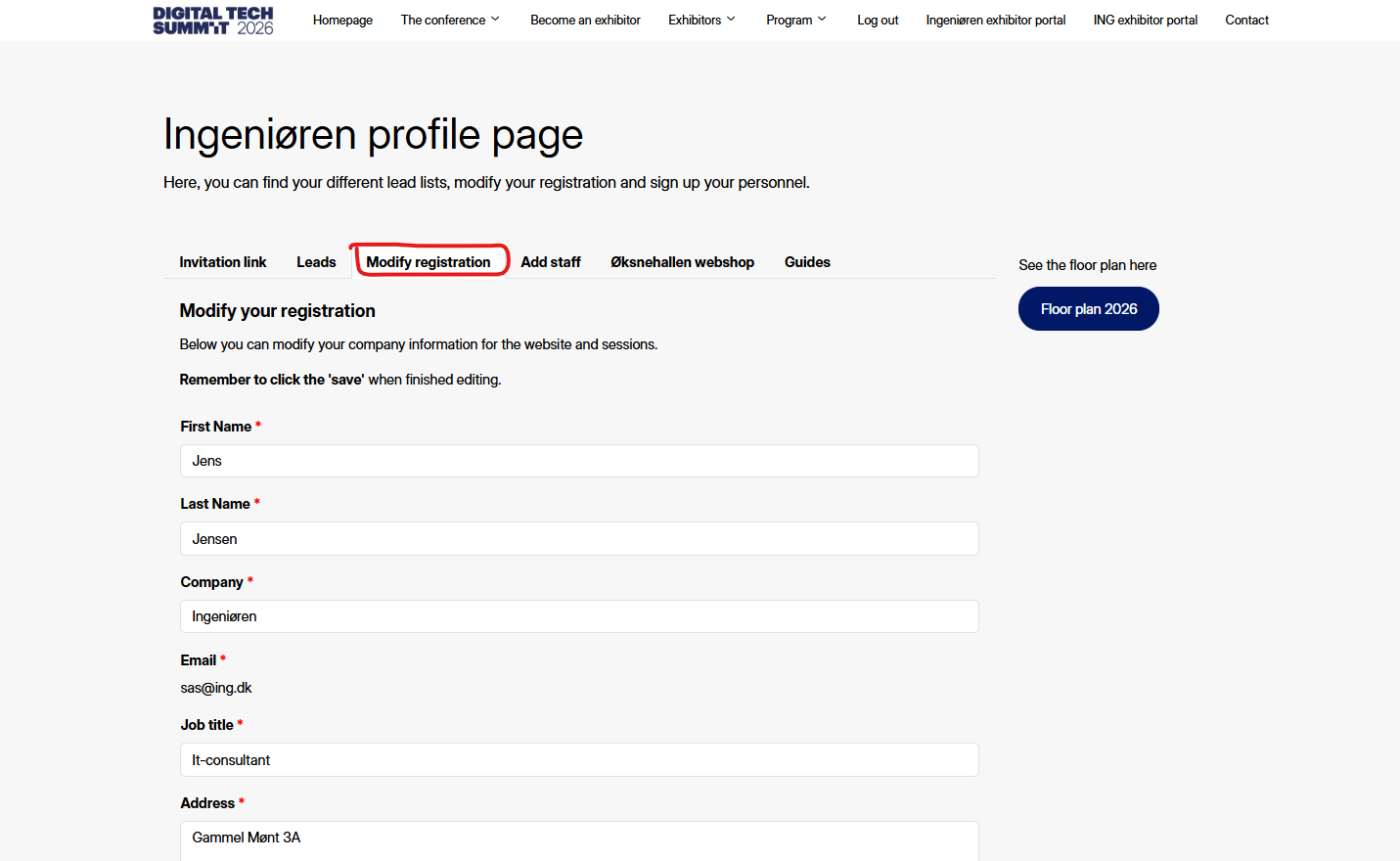
Modify your information
1. Click on "modify your registration" tab.
2. Type in the new information or edit the existing.
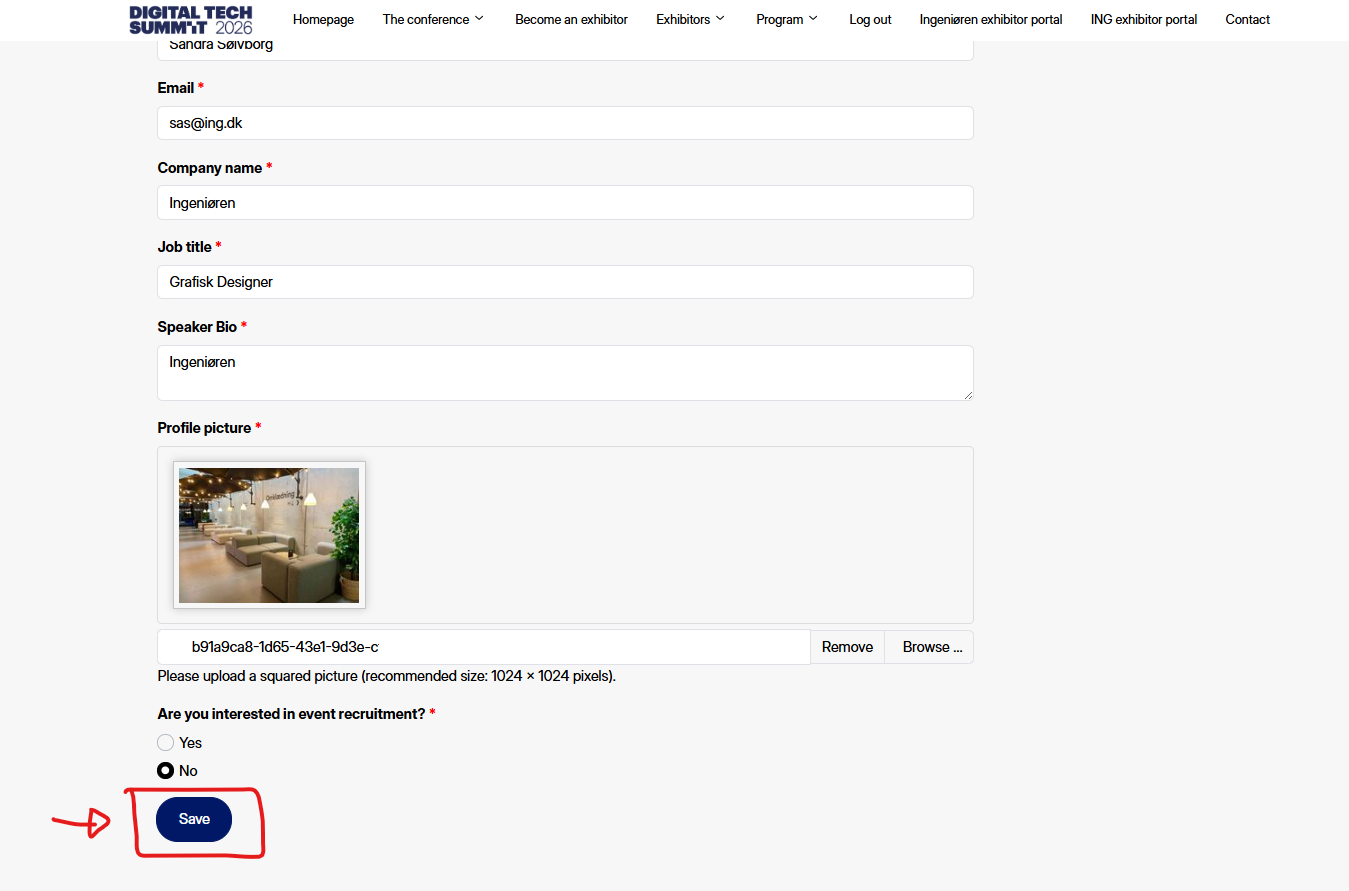
Save
Remember to click save in the bottom of the page.